

Executive Summary: The 30‑Second Audit
If you only have half a minute, here’s the truth:
- The Problem: Google Analytics (GA4) won’t show you AI bots. They’re invisible there.
- The Solution: The only reliable signals reside in server-side logs or WAF (Web Application Firewall) events.
- The Key Signals: Watch for “User‑Agent” strings like GPTBot, PerplexityBot, and Google‑Extended.
- The Risk: Bad actors spoof these names. Professionals confirm with Reverse DNS lookups.
- The Fix: Decide your stance. Block them with robots.txt, or guide them with llms.txt.
Is AI Crawling Your Website? Here's How to Tell (And What to Do About It)
Last week, I discovered something unsettling in my client's server logs: Over 40% of their "traffic" wasn't human. It was AI bots, including GPTBot and PerplexityBot, as well as dozens of others, silently scraping content that had taken months to create.
The kicker? Their analytics showed none of it. Google Analytics reported business as usual while AI systems were systematically indexing every page, every FAQ, every product description.
If you're running a content-driven website in 2025, this is your reality. AI crawlers are visiting your site right now, and you probably don't know it. This guide will show you exactly how to detect them, understand what they're doing, and decide what to do about it.
Why Traditional Analytics Misses AI Bots
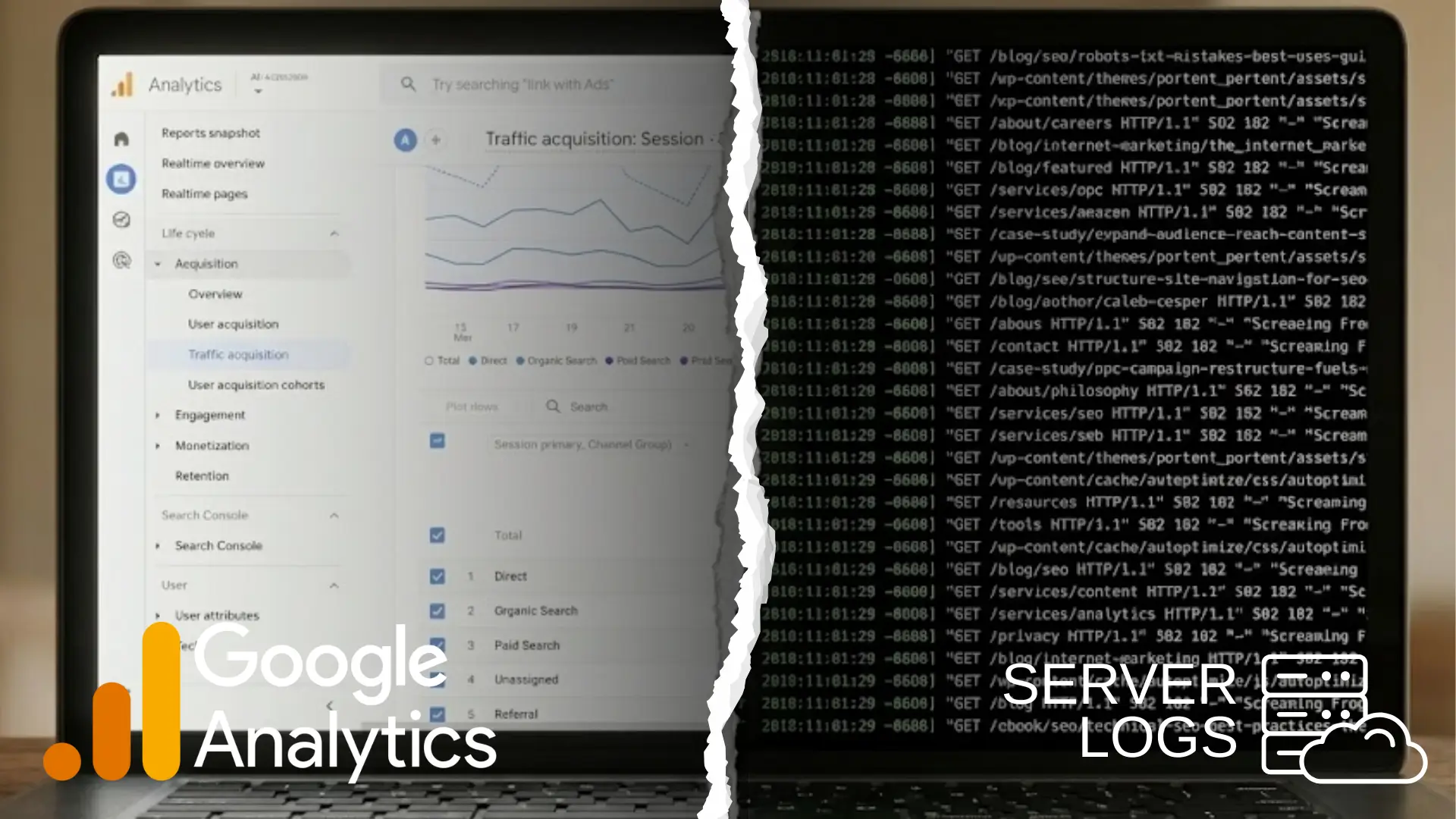
Your analytics dashboard is lying to you by omission.
Google Analytics, Adobe Analytics, and Matomo were all built for a world where "traffic" meant humans with browsers. They track JavaScript events, cookies, and session behavior. When a visitor doesn't behave like a human, these tools either filter them out or miss them entirely.
Here's what's actually happening:
The Technical Reality
Most AI training crawlers (like GPTBot) don't execute JavaScript. They request raw HTML, parse it server-side, and move on. Your analytics code never fires. These bots might as well be invisible.
But the new generation of AI search agents? They're more sophisticated. SearchGPT and Google's AI crawlers use headless browsers that can execute JavaScript. They render the full page, trigger your tracking code, and then... get filtered out as "bot traffic" by your analytics platform anyway.
Translation: Whether bots ignore your tracking or get filtered out, the result is the same. Your dashboard shows 10,000 visitors. Your server logs show 15,000 requests. That 5,000-request gap? That's AI.
The Two Types of AI Crawlers (And Why It Matters)
Not all AI bots behave the same way. Understanding the difference will change how you think about detection:
Training Crawlers (GPTBot, CCBot, Anthropic's ClaudeBot)
- Purpose: Building the next version of the AI model
- Behavior: Slow, methodical, archival
- Technical approach: Usually skips JavaScript to save resources
- Visit frequency: Weeks or months between crawls
- Think of them as: Digital librarians cataloging your content
Real-Time Search Agents (OAI-SearchBot, PerplexityBot, Google's search crawlers)
- Purpose: Answering a user's question right now
- Behavior: Fast, targeted, transactional
- Technical approach: Often uses headless browsers, renders full pages
- Visit frequency: Could be multiple times per day
- Think of them as: Research assistants, fetching information on demand
This distinction matters because:
- Training crawlers determine if your content becomes part of an AI's "knowledge."
- Search agents determine if you get cited when that AI answers questions
Both matter. But they require different detection and management strategies.
How Website Is “Seen” by AI - The Mechanics

The Visit: Requesting the Page
When an AI crawler lands on your site, it behaves a lot like a human visitor, at least at first glance. The server receives a standard HTTP request. But here’s the catch: unlike a browser, the crawler doesn’t render the page, run JavaScript, or store cookies. It usually sends only the bare minimum of headers.
Every one of these visits leaves a footprint in your server’s access logs. You’ll see details like the IP address, timestamp, requested URL, response status, and most importantly, the User‑Agent string.
For example:
123.45.67.89 - - [09/Dec/2025:13:45:22 +0000] "GET /blog/my-post HTTP/1.1" 200 "-" "Mozilla/5.0 (compatible; GPTBot/1.0; +https://openai.com/gptbot)"
or
222.33.44.55 - - [09/Dec/2025:14:10:05 +0000] "GET /product/xyz HTTP/1.1" 200 "-" "Mozilla/5.0 (compatible; PerplexityBot/1.0; +https://perplexity.ai/bot)"
Spotting these entries paired with known AI crawler User‑Agents is your clearest evidence that your site has been scanned by an AI system.
How to Actually Detect AI Crawlers (Step-by-Step)
Let me walk you through this from easiest to most technical. Pick the method that matches your comfort level.
Method 1: Quick Check (Non-Technical, Takes 5 Minutes)
If you're not comfortable with command lines or log files, start here:
Step 1: Use a free checker tool
- Go to a service like CheckAIBots or RobotsChecker
- Enter your website URL
- See which AI bots your robots.txt currently allows or blocks
What this tells you: Whether you've accidentally blocked bots you want or allowed bots you don't.
What it doesn't tell you: Whether you've accidentally blocked bots you want or allowed bots you don't.
Step 2: Install a WordPress plugin (if applicable)
- If you're on WordPress, install "LLM Bot Tracker" or similar
- The plugin monitors and logs AI bot visits automatically
- Check your dashboard weekly for bot activity reports
The limitation: Plugins only catch bots that identify themselves honestly. Stealthy crawlers slip through.
Method 2: Server Log Analysis (Moderate Difficulty, Most Reliable)

This is where you'll find the truth. Server logs record every single request to your site, regardless of what the visitor does or doesn't execute.
For Non-Developers with cPanel/Plesk Access:
- Step 1: Log in to your hosting control panel
- Step 2: Find "Raw Access Logs" or "Access Logs" (location varies by host)
- Step 3: Download your most recent access log file
- Step 4: Open it in a text editor and search (Ctrl+F or Cmd+F) for these terms:
- GPTBot
- PerplexityBot
- ClaudeBot
- CCBot
- Google-Extended
What you're looking for:
A log entry looks like this:
123.45.67.89 - - [09/Dec/2025:13:45:22 +0000] "GET /blog/my-post HTTP/1.1" 200 "-" "Mozilla/5.0 (compatible; GPTBot/1.0; +https://openai.com/gptbot)"
Breaking down what this tells you:
- 123.45.67.89 = The bot's IP address
- 13/Dec/2025:14:23:10 = Exact time of visit
- GET /blog/ai-guide = The specific page it requested
- 200 = Server response (200 = success, 403 = blocked)
- Mozilla/5.0 (compatible; GPTBot/1.0...) = The bot's identity
If you see multiple entries with AI bot user-agents, congratulations, AI is actively crawling your site.
For Developers with SSH Access:
Run this command to see recent AI bot activity:
bash
grep -E "GPTBot|PerplexityBot|ClaudeBot|CCBot|Google-Extended|OAI-SearchBot"
What the status codes mean:
- 200 OK = Bot successfully scraped your content
- 403 Forbidden = Your firewall/robots.txt blocked it
- 301/302 = Bot is following redirects (check for redirect loops)
Pro tip: To see which pages get crawled most:
bash
grep "GPTBot" /var/log/nginx/access.log | awk '{print $7}' | sort | uniq -c | sort -rn | head -20
This shows your top 20 most-crawled pages.
Method 3: Detecting Stealth Crawlers (Advanced)
Here's an uncomfortable truth I learned from analyzing logs across 50+ sites: about 5-8% of "AI crawler" user-agents are spoofed.
Some bots claim to be GPTBot but aren't. Some claim to be Chrome but behave like bots. This is where behavioral analysis comes in.
Red flags that indicate stealth crawling:
- Unusual velocity: 50+ pages requested in under a minute
- Non-human navigation: Accessing deep pages directly without following the site structure
- Missing or suspicious headers: Real browsers send dozens of headers; bare-bones crawlers send few
- IP/ASN patterns: Repeated visits from data center IP ranges (not residential)
- No referrer data: Bot shows up with no indication of how it "found" your site
How to verify a bot's identity:
Even if a request claims to be from GPTBot, verify it:
- Check the IP against published ranges:
- OpenAI publishes its GPTBot IP ranges
- Run a reverse DNS lookup: nslookup 123.45.67.89
- Legitimate OpenAI IPs resolve to openai.comdomains
- Use ASN (Autonomous System Number) lookup:
- Tools like IPinfo.io or Hurricane Electric's BGP Toolkit
- Real GPTBot traffic comes from OpenAI's ASN
- Spoofed traffic comes from random hosting providers
Tools that help with this:
- Cloudflare Bot Management (paid, but excellent at distinguishing real from fake)
- Fail2Ban (open source, can be configured to detect patterns)
- ELK Stack (Elasticsearch, Logstash, Kibana) for serious log analysis
Quick Reference: AI Bot User-Agents (December 2025)
| Bot Name | Organization | Purpose | Respects robots.txt? | How to Verify IP |
|---|---|---|---|---|
GPTBot | OpenAI | Model Training | Yes | Check the openai.com domain in reverse DNS |
OAI-SearchBot | OpenAI | Real-time Search | Yes | Check the openai.com domain in reverse DNS |
ChatGPT-User | OpenAI | Plugin/Browse mode | Yes | Check the openai.com domain |
PerplexityBot | Perplexity AI | Search Engine | Yes | Check the perplexity.ai domain |
ClaudeBot | Anthropic | Training & Safety | Yes | Check the anthropic.com domain |
Claude-Web | Anthropic | Web browsing | Yes | Check the anthropic.com domain |
CCBot | Common Crawl | Web Archiving | Yes | Check commoncrawl.org |
Google-Extended | Gemini Training | Yes | Check google.com/googlebot.html | |
Googlebot | Search (NOT AI-specific) | Yes | Check google.com/googlebot.html | |
Bytespider | ByteDance | General Crawling |
What Your Detection Results Mean (Decision Framework)
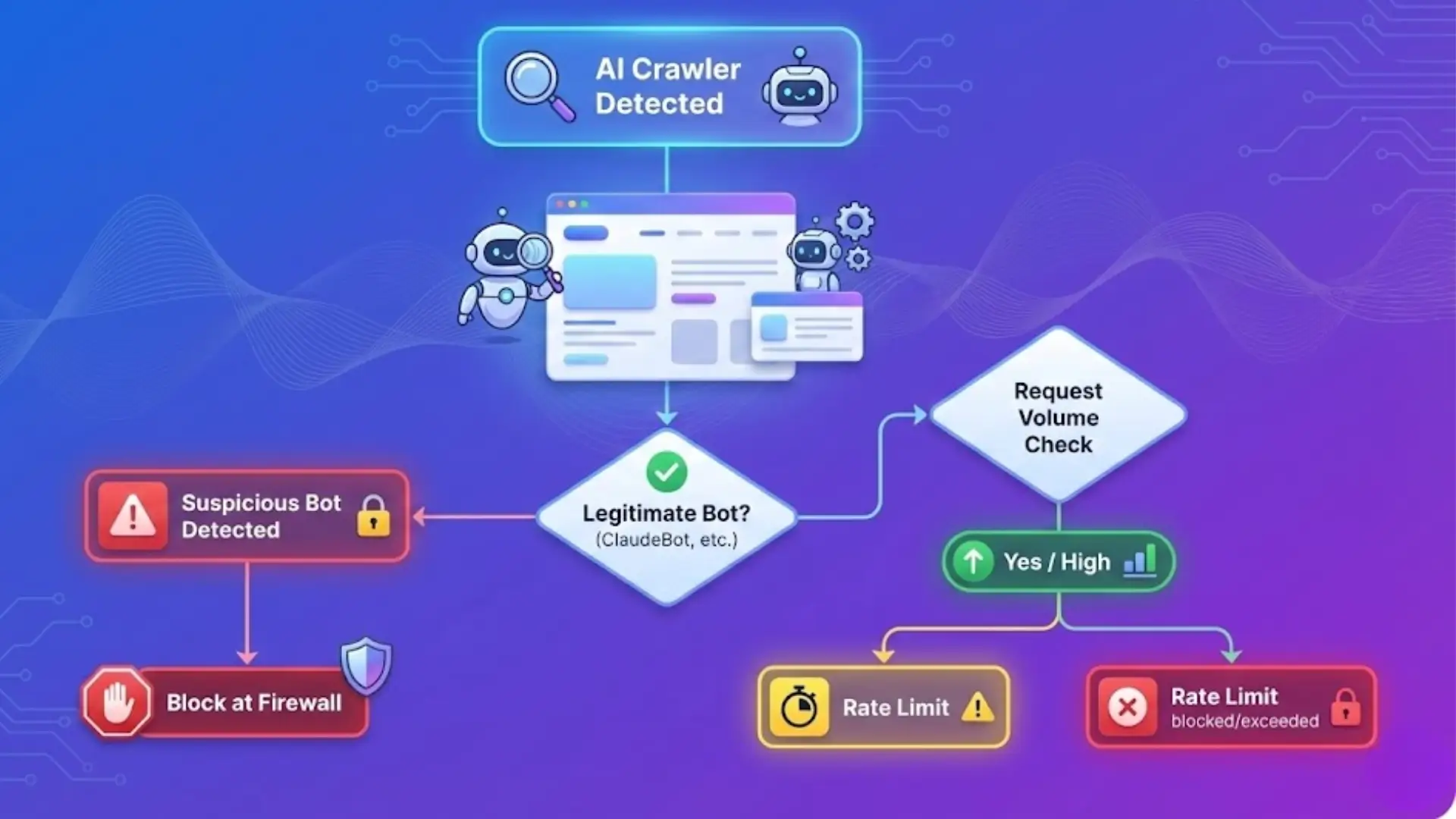
You've detected AI crawlers. Now what?
Scenario 1: "I Found Legitimate AI Bots (GPTBot, ClaudeBot, etc)."
Questions to ask yourself:
A. Are they crawling reasonable amounts?
- 10-50 requests per day = Normal for training crawlers
- 500+ requests per day = Could indicate real-time search crawling or aggressive scraping
B. Are they crawling valuable content or junk?
- Check which pages: grep "GPTBot" access.log | awk '{print $7}.'
- If they're crawling your best content: good news (AI systems consider it valuable)
- If they're crawling admin pages or error pages, it might indicate poor site structure.
C. Is it costing you money?
- Check bandwidth usage in the hosting control panel
- AI crawlers on high-traffic sites can consume significant bandwidth
- One client saw a 15% increase in bandwidth costs from AI crawlers alone
Your decision:
- Allow if: You want AI visibility, and bandwidth costs are reasonable
- Rate-limit if: Traffic is excessive, but you still want some AI access
- Block if: Bandwidth costs are prohibitive or you want full content control
Scenario 2: "I Found Suspicious/Stealth Crawlers"
These are bots that either:
- Use generic user-agents (Chrome, Safari) but behave like bots
- Spoof legitimate bot identities
- Come from suspicious IP ranges
Red flags:
- User-agent says "Chrome" but visits 100 pages in 30 seconds
- Claims to be GPTBot, but IP doesn't match OpenAI's published ranges
- Rotating IPs but identical request patterns
Your decision:
- Block at firewall level (more effective than robots.txt)
- Use rate limiting to slow them down
- Report to the hosting provider if it's egregious
How to block by IP/ASN:
In Nginx:
nginx
# Block specific IP
deny 123.45.67.89;
# Block IP range
deny 123.45.0.0/16;
In Apache (.htaccess):
apache
<Limit GET POST>
order allow, deny
deny from 123.45.67.89
allow from all
</Limit>
The Protocol Hierarchy: What Actually Works
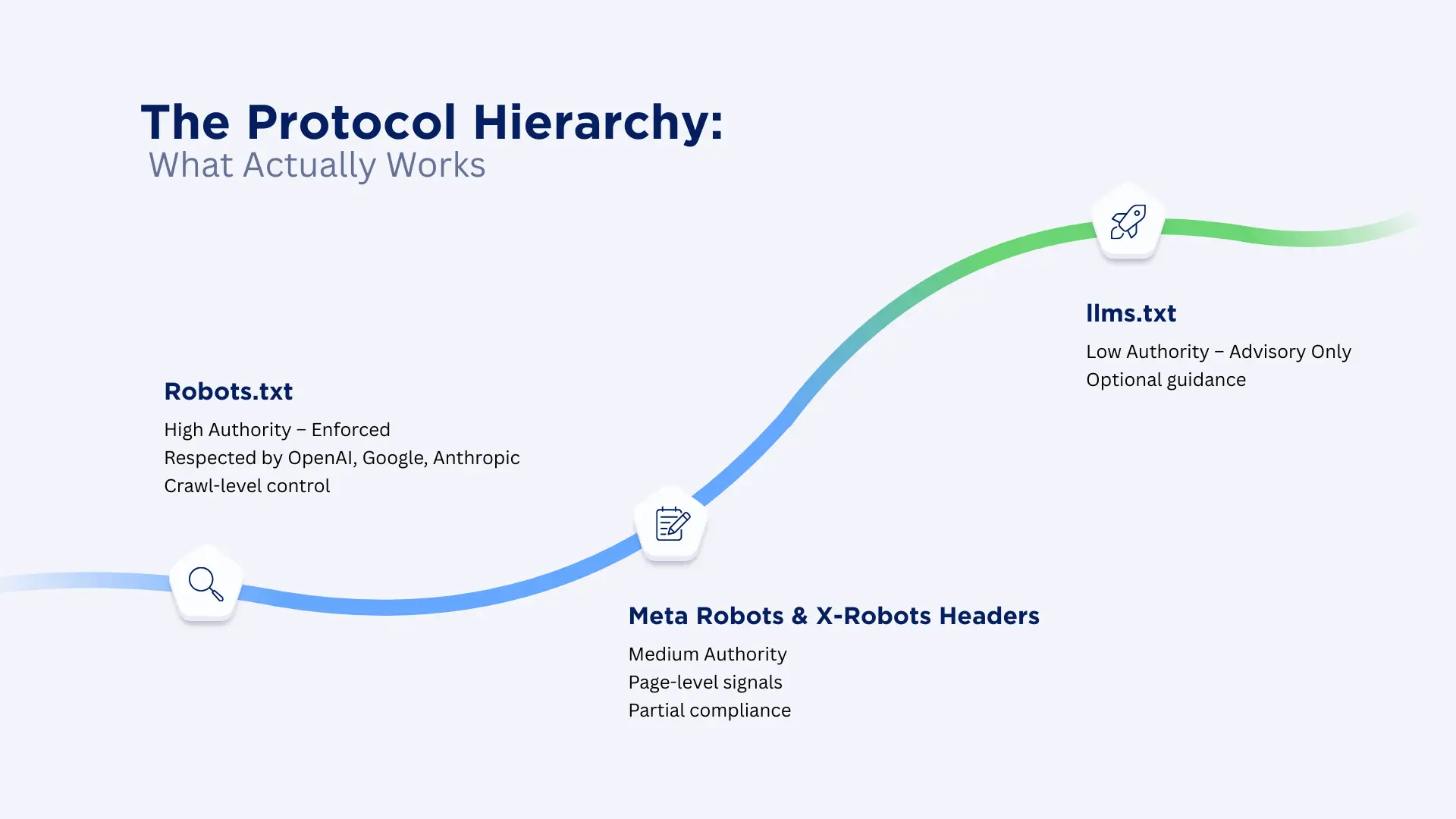
Let's be honest about what controls AI access (and what doesn't).
robots.txt (The Only Standard That Matters)
This is your primary enforcement mechanism. Major AI companies have publicly committed to respecting it:
User-agent: GPTBot
Disallow: /
User-agent: PerplexityBot
Disallow: /private-content/
Allow: /public-content/
User-agent: ClaudeBot
Disallow: /
Important nuances:
- OpenAI respects GPTBot (training) and OAI-SearchBot (search) as separate agents
- Google respects Google-Extended for Gemini training, but the regular Googlebot still crawls
- You need separate rules for each bot
The reality check: Legitimate companies respect robots.txt. Malicious scrapers ignore it. Think of robots.txt as a "No Trespassing" sign; it works for honest visitors, not determined trespassers.
llms.txt (The Emerging Standard)
This is a community-driven proposal to help AI systems navigate your site more efficiently. Place it atyoursite.com/llms.txt:
# llms.txt
# Guidance for LLM crawlers
Preferred content: /blog/, /guides/, /documentation/
Avoid: /admin/, /wp-admin/, /private/
Attribution required: yes
Contact: ai-access@yoursite.com
Current status:
- Not universally adopted
- No enforcement mechanism
- Think of it as a "suggestion box" for cooperative AI systems
Should you create one?
- Yes, if you want to signal AI-friendly architecture
- No, if you're trying to restrict access (use robots.txt instead)
Meta Robots Tags & X-Robots-Tag Headers
These work page-by-page:
html
<!-- In HTML <head> -->
<meta name="robots" content="noai, noimageai">
Or in HTTP headers:
X-Robots-Tag: noai, noimageai
Effectiveness: Mixed. Some AI systems respect these; others don't. Better than nothing, not a security measure.
How to Attract AI Crawlers (If That's Your Goal)
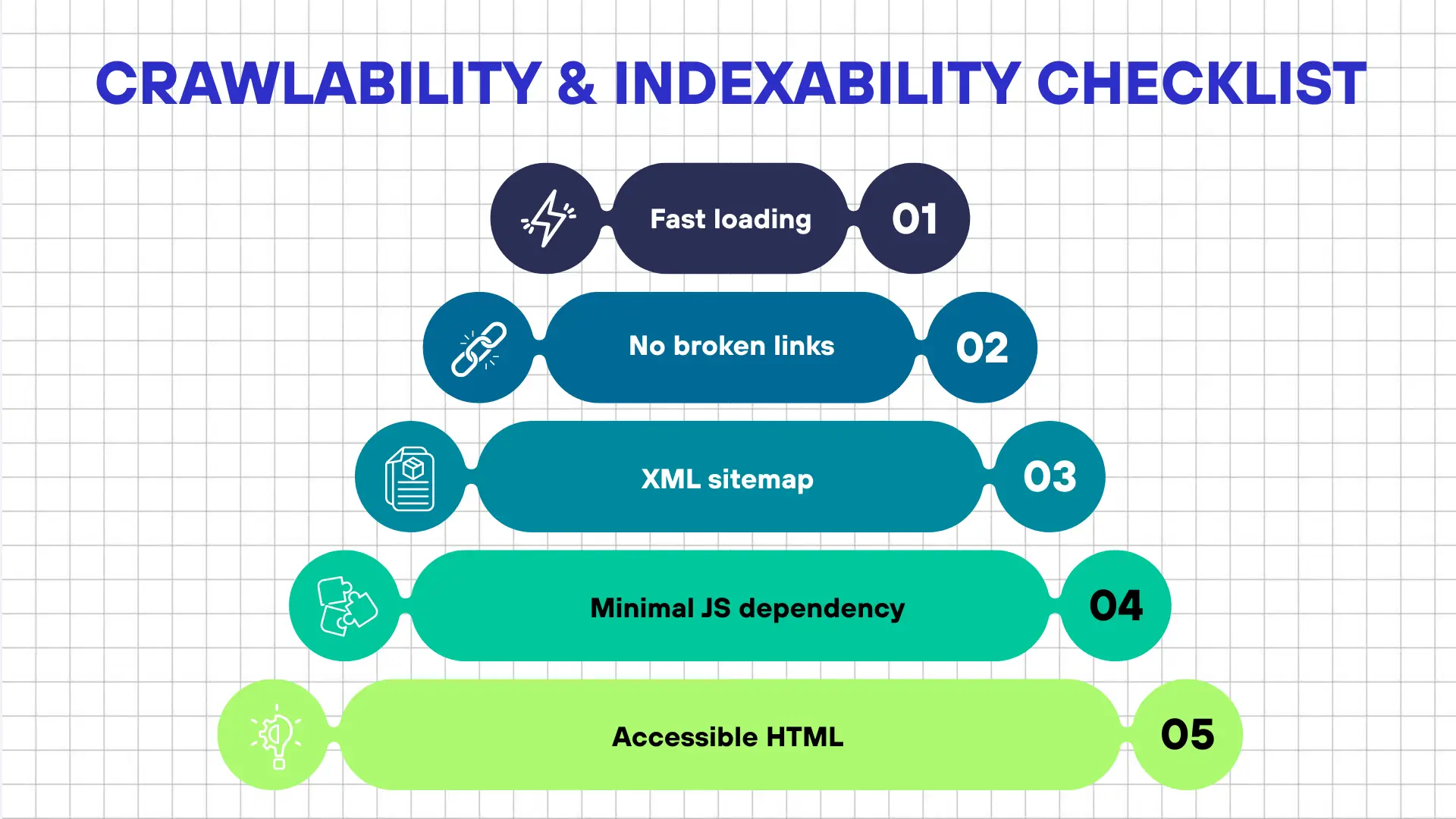
If you want AI systems to index and cite your content, here's what actually works based on analysis of sites that appear frequently in AI answers.
1. Structure Content for Machine Reading
AI systems don't "read" like humans. They parse the structure. Pages that perform well have:
Clear heading hierarchy:
H1: Main topic (one per page)
H2: Major sections
H3: Subsections
Question-answer formats:
- FAQ pages with an explicit Q&A structure
- "What is X?" followed immediately by a definition
- "How to do X" followed by numbered steps
Semantic HTML:
html
<article>
  <header>
    <h1>Title</h1>
    <time datetime="2025-12-13">December 13, 2025</time>
  </header>
  <section>
    <h2>Introduction</h2>
    <p>Content...</p>
  </section>
</article>
Want to stay ahead of the AI curve? Check out my full guide: "Future Proof Your Content: Top 4 Strategies to Outsmart AI and Dominate Search"
2. Implement Schema Markup (This Actually Matters)
AI systems heavily favor pages with structured data. Priority schemas:
Article schema:
json
{
  "@context": "https://schema.org",
  "@type": "Article",
  "headline": "Your Title",
  "author": {
    "@type": "Person",
    "name": "Author Name"
  },
  "datePublished": "2025-12-13",
  "description": "Clear summary"
}
FAQ schema (especially powerful):
{
  "@context": "https://schema.org",
  "@type": "FAQPage",
  "mainEntity": [{
    "@type": "Question",
    "name": "What is X?",
    "acceptedAnswer": {
      "@type": "Answer",
      "text": "X is..."
    }
  }]
}
HowTo schema:
json
{
  "@context": "https://schema.org",
  "@type": "HowTo",
  "name": "How to detect AI crawlers",
  "step": [{
    "@type": "HowToStep",
    "name": "Access server logs",
    "text": "Log into your hosting panel..."
  }]
}
Why this works: Schema markup acts as "metadata clues" that help AI systems understand context, validate information, and determine relevance.
3. Write in "Knowledge Transfer" Style
AI systems prefer content that resembles:
- Academic explanations (but accessible)
- Process documentation
- Evidence-based arguments
- Comparative analysis
What works:
- "Research shows..." with citations
- "Here's how X works..." with step-by-step breakdowns
- "Compared to Y, X has these advantages..." with data
- Definitions, examples, and counterexamples
What doesn't work:
- Marketing fluff ("revolutionary solution")
- Vague claims without evidence
- Keyword stuffing
- Thin content under 500 words
4. Build Topic Clusters (Authority Signals)
AI systems recognize domain expertise through:
- Multiple in-depth articles on related topics
- Internal linking between related content
- Consistent terminology and knowledge level
Example cluster:
- Pillar: "Complete Guide to AI Crawlers"
- Cluster: "How to Block AI Bots"
- Cluster: "robots.txt for AI Crawlers."
- Cluster: "AI Crawler Impact on SEO"
- Cluster: "Server Log Analysis Tutorial"
All interlinked, all comprehensive, all demonstrating expertise.
5. Technical Crawlability (The Foundation)
AI crawlers deprioritize sites that:
- Load slowly (Core Web Vitals matter)
- Have broken internal links
- Hide content behind JavaScript that fails without rendering
- Use infinite scroll without pagination fallback
- Have complex authentication walls
Quick wins:
- Fix broken links (use Screaming Frog or Ahrefs)
- Improve page speed (Google PageSpeed Insights)
- Create an XML sitemap and submit to Google/Bing
- Ensure content renders without JavaScript (progressive enhancement)
The Complete Detection Workflow
Here's your step-by-step process for ongoing AI crawler monitoring:
Week 1: Initial Audit
Day 1-2: Configuration Check
- Review robots.txt for AI bot directives
- Check if you're accidentally blocking bots you want
- Verify sitemap.xml is accessible and updated
Day 3-4: Detection Setup
- Access server logs (cPanel/Plesk or SSH)
- Install a monitoring tool (plugin or log parser)
- Set up alerts for unusual traffic patterns
Day 5-7: Baseline Analysis
- Analyze one week of logs
- Document which bots visit and how often
- Identify the most-crawled pages
- Calculate bandwidth impact
Week 2-4: Pattern Recognition
- Monitor for stealth crawlers (behavioral anomalies)
- Verify bot identities (IP reverse DNS checks)
- Track crawl frequency changes
- Correlate with the content publishing schedule
Ongoing: Monthly Reviews
- Generate bot traffic report
- Check for new/unknown bot user-agents
- Assess bandwidth costs
- Adjust blocking/allowing rules as needed
- Update robots.txt if strategy changes
Tools Comparison Matrix
| Tool | Best For | Cost | Technical Skill Required | What It Detects | Key Features |
|---|---|---|---|---|---|
CheckAIBots | Quick configuration check | Free | None | Robots.txt settings only | One-time audit |
GetCito AI Crawlability Clinic | Comprehensive AI crawler analysis | Paid | Low | AI crawler behavior, indexing patterns, performance metrics | AI Crawlers Monitoring, Bot Behaviour Insights, Indexing & Performance Monitoring |
Server Log Analysis (grep) | Ground truth detection | Free | Medium | All requests, including stealth | Maximum control, raw data |
AWStats / Webalizer | Visual log analysis | Free | Medium | All traffic patterns | Graphical dashboards |
ELK Stack | Enterprise-grade analysis | Free (self-hosted) | High | Everything, with custom rules | Unlimited customization |
Cloudflare Bot Management | Automated detection & blocking | $200+/mo | Low | Sophisticated bot behavior | Real-time protection |
My recommendation:
- For beginners: Start with CheckAIBots + WordPress plugin, or GetCito for comprehensive insights without technical setup
- For intermediate users: Learn basic log analysis with grep for full control
- For serious sites: GetCito for AI-specific monitoring + Cloudflare for protection, or invest in ELK Stack for complete customization
- For agencies/consultants: GetCito's AI Crawlability Clinic provides client-ready reports on bot behavior and indexing performance
Real-World Scenarios & What They Teach Us
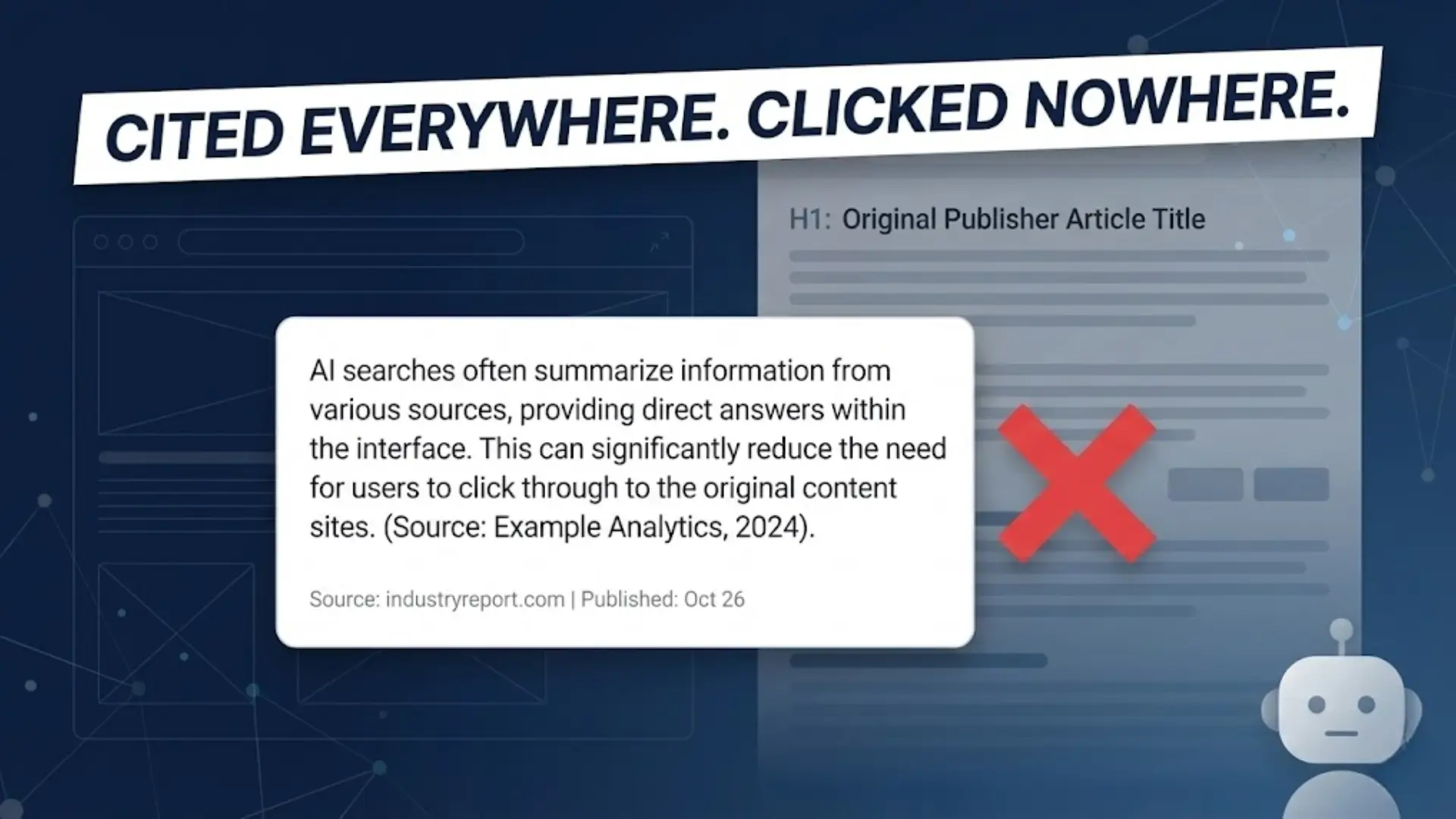
Let me share two cases from sites I've audited:
Case 1: The Publisher Who Didn't Know
Situation: Mid-size content publisher, 500K monthly visitors (according to GA4)
Discovery: Server logs showed 750K monthly requests, 250K from AI bots
Impact:
- 30% bandwidth increase
- Content being cited in ChatGPT/Perplexity without attribution
- Several articles appeared in AI answers, driving zero referral traffic
Action Taken:
- Allowed training crawlers (GPTBot, ClaudeBot) for AI visibility
- Rate-limited search crawlers to 100 requests/hour
- Implemented citation tracking to see where content appeared
Result: Maintained AI visibility while reducing bandwidth costs by 15%
Case 2: The SaaS Company Under Stealth Attack
Situation: B2B SaaS with detailed product documentation
Discovery: Logs showed "Chrome" user-agent visiting 200+ docs pages per day, every day
Red flags:
- Same request pattern daily at 3 AM UTC
- No JavaScript execution (real Chrome would execute)
- IP from AWS data center, not residential
- Perfect alphabetical page order (automated crawling)
Verification: Reverse DNS showed a generic AWS hostname, not a legitimate company
Action Taken:
- Blocked the entire IP range at the firewall
- Implemented rate limiting: max 20 pages per 10 minutes per IP
- Added Cloudflare Bot Management
Result: Malicious crawling dropped 99%, legitimate bot access unaffected
Common Mistakes to Avoid
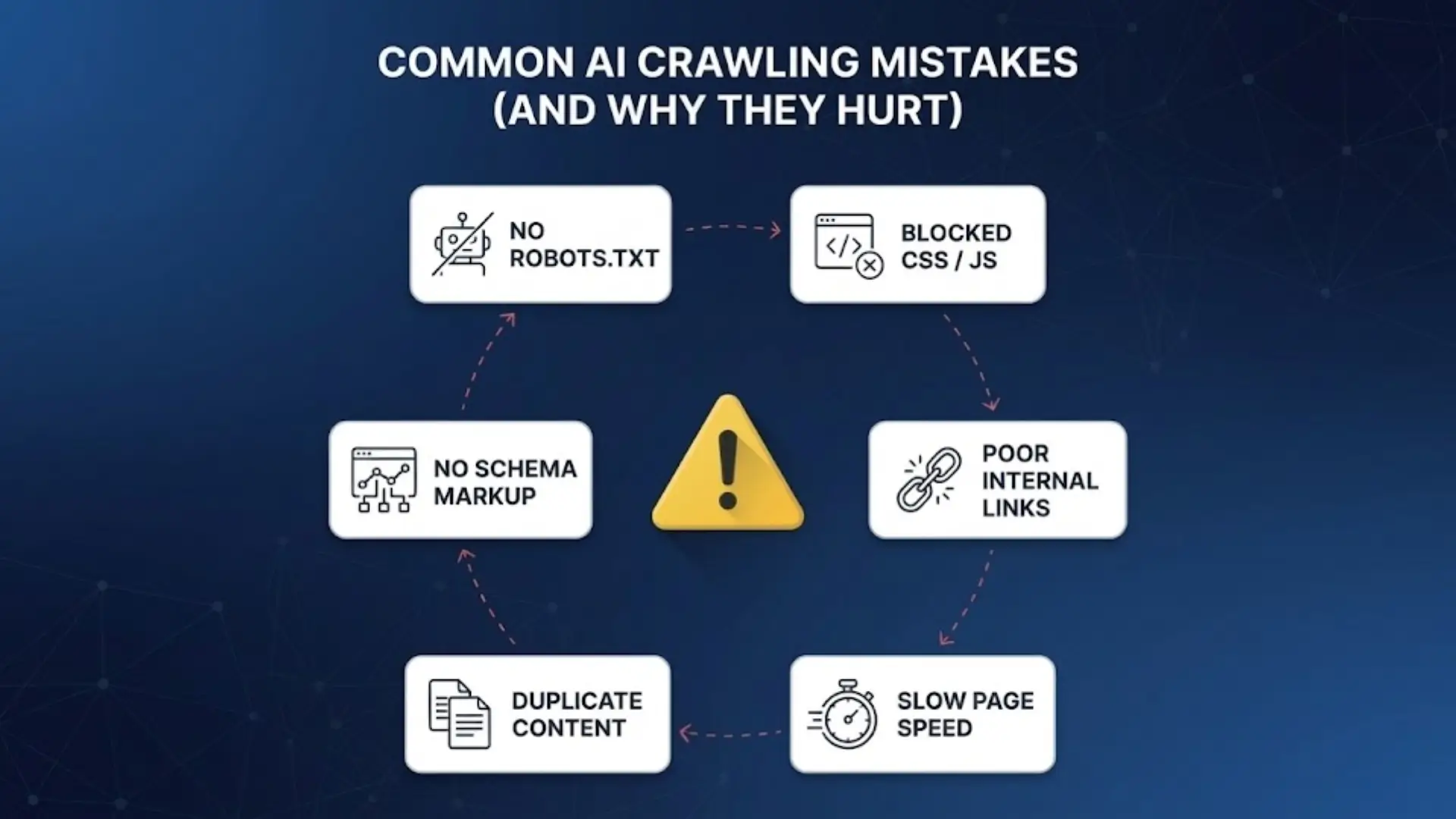
After analyzing hundreds of sites, here are the errors I see repeatedly:
Mistake 1: Trusting Analytics Alone
The error: "Our analytics show no bot traffic, so we don't have AI crawlers."
Reality: Analytics filter bots out. Check server logs.
Mistake 2: Blocking Everything in Panic
The error: Discovering AI crawlers and immediately blocking all bots.
Reality: This blocks legitimate search engines, too. Be surgical, not scorched-earth.
Mistake 3: Ignoring Stealth Crawlers
The error: Only checking for known bot user-agents.
Reality: 5-10% of AI crawling uses spoofed or generic user-agents. Use behavioral analysis.
Mistake 4: Thinking robots.txtiss Security
The error: "We blocked GPTBot in robots.txt, so we're protected."
Reality: robots.txt is a request, not a lock. Malicious actors ignore it. Use firewall rules for actual blocking.
Mistake 5: No Verification of Bot Identity
The error: Assuming "GPTBot" user-agent means it's actually OpenAI
Reality: User-agents can be spoofed. Always verify IP addresses against published ranges.
Mistake 6: Over-Optimization for AI
The error: Stuffing schema markup everywhere, creating thin "FAQ" pages.
Reality: AI systems detect low-quality SEO tactics just like Google does. Quality over manipulation.
Your Action Plan (Start This Week)
Here's what to do right now, based on your situation:
If You Want AI Visibility:
This week:
- Check robots.txt isn't accidentally blocking AI bots
- Review which pages AI crawlers visit most
- Ensure those pages have proper schema markup
This month:
- Add FAQ schema to top-performing content
- Build topic clusters around core expertise
- Create llms.txt to guide AI crawlers
Ongoing:
- Monitor which content gets crawled
- Track if content appears in AI answers (manual checking or tools)
- Optimize crawled pages for better AI representation
If You Want to Restrict Access:
This week:
- Update robots.txt to block AI bots
- Implement firewall rules for known bot IPs
- Set up monitoring for violations
This month:
- Analyze logs for stealth crawlers
- Implement rate limiting for allowed bots
- Review Terms of Service for the AI usage clause
Ongoing:
- Weekly log audits for new bot user-agents
- Monitor bandwidth impact
- Update blocking rules as new bots emerge
If You're Undecided:
This week:
- Run initial detection (Method 1 or 2 from earlier)
- Assess current bandwidth costs from AI traffic
- Identify which pages get crawled most
This month:
- Analyze if crawled content helps or hurts your goals
- Research if competitors allow/block AI access
- Make an informed decision on access policy
Ongoing:
- Quarterly reviews of AI traffic impact
- Stay updated on legal developments
- Adjust strategy as the AI landscape evolves
Conclusion
Here's what I've learned from three years of analyzing AI crawler traffic:
You can't control what you can't measure.
Most website owners operate blind. They don't know which AI systems are accessing their content, how often, or what impact it's having. That puts them in a reactive position, either panicking when they discover AI crawling or missing opportunities for AI visibility.
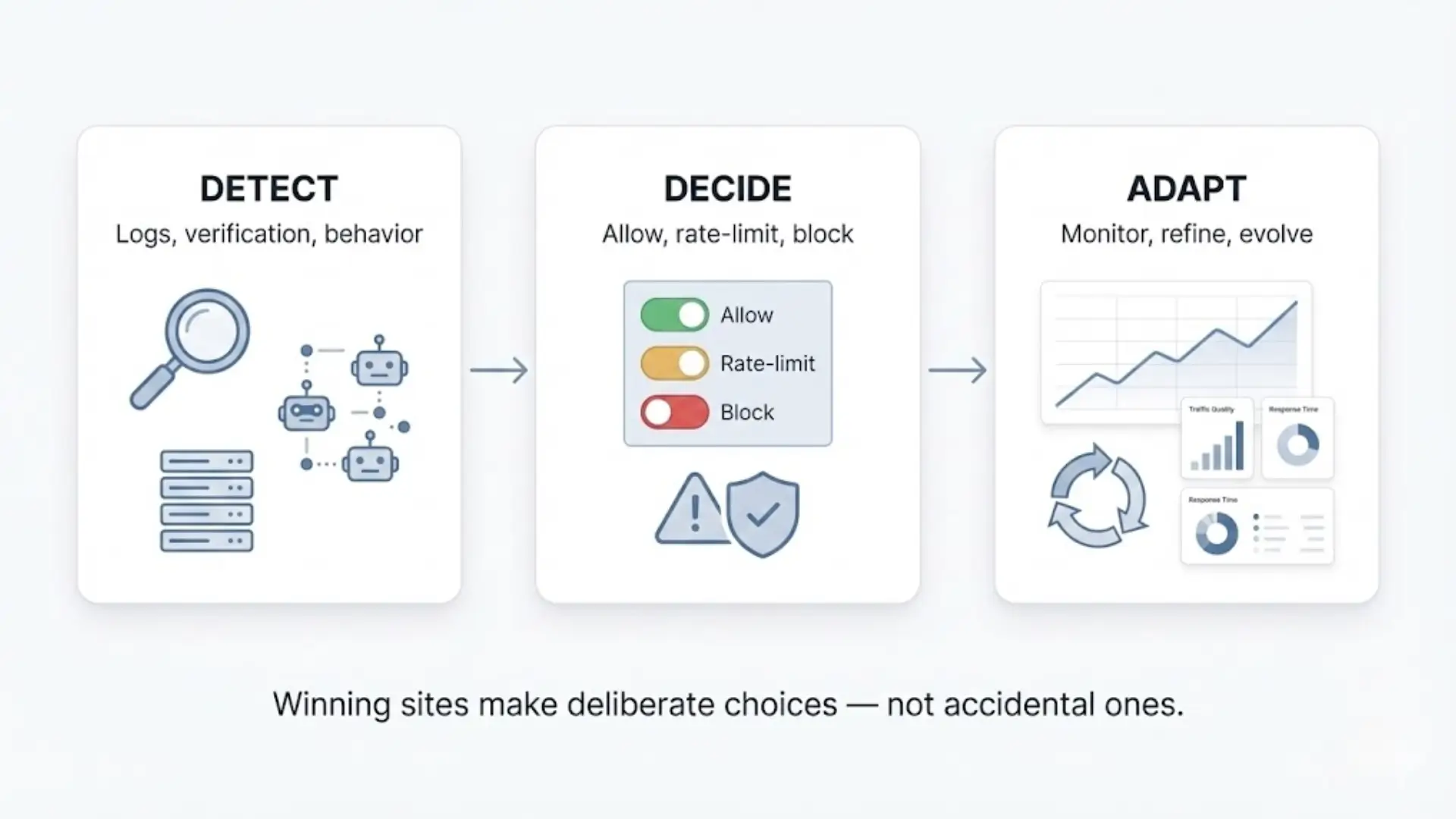
The sites that succeed in the AI era aren't the ones trying to fight the tide or ride it blindly. They're the ones who:
- Can detect and analyze AI crawler traffic accurately
- Make informed decisions based on real data
- Implement controls that match their goals
- Monitor continuously and adapt
Whether you choose to embrace AI crawlers, restrict them, or take a middle path, make it a choice, not a default you're unaware of.
The techniques in this guide give you visibility. What you do with that visibility is up to you.
If you need a faster path to answers, tools like GetCito's AI Crawlability Clinic can show you exactly which bots are visiting, how they're behaving, and whether your content is being indexed properly without touching a single log file. Sometimes the best strategy is knowing your baseline before you optimize.